Picture this: you’ve published a handful of well-optimized articles, built a few relevant backlinks, and matched your content to the right search intent. A few weeks pass. Now what? Are the pages ranking? Are people clicking through? Which ones need fixing? Without looking at the right data, you’re essentially guessing — and guessing isn’t a strategy.
This is where SEO analytics comes in — turning scattered search data into decisions you can actually act on. SEO analytics is the process of collecting and interpreting data about how your website performs in search results — clicks, impressions, rankings, and traffic — to understand what’s working and guide future SEO decisions. It’s not just about watching numbers; it’s about knowing what those numbers mean and what to do next.
What Is SEO Analytics?
At its simplest, SEO analytics means tracking how your pages perform in organic search and using that information to improve them. But collecting data isn’t the same as analyzing it.
Anyone can open a dashboard and see numbers. SEO analytics is what happens after — asking why a page gets impressions but few clicks, or why traffic dropped last month. Data without interpretation is just noise; the value comes from turning it into a decision.
Why Does SEO Analytics Matter?
SEO analytics matters because it replaces guesswork with evidence. Without it, you have no reliable way to know what’s actually working.
Good analytics helps you identify:
- Which pages are attracting organic traffic
- Which search queries are generating impressions but not clicks
- Where you’re ranking, and whether that position is improving or slipping
- Which pieces of content have real optimization opportunities
- Whether your overall SEO effort is moving in the right direction
It’s worth being clear about what analytics doesn’t do: checking your data doesn’t improve your rankings by itself. It simply shows you where to focus your effort — the improvement still comes from acting on what you find.
Which SEO Metrics Should Beginners Track?
You don’t need to track dozens of numbers. A handful of core metrics tell you almost everything you need as a beginner.
| SEO Metric | What It Tells You | What to Look For |
|---|---|---|
| Clicks | Search visits received | Growth over time |
| Impressions | How often your page appeared in search | Increasing visibility |
| CTR (Click-Through Rate) | How often people click when they see you | Low CTR despite high impressions |
| Average Position | Approximate ranking position | Movement up or down over time |
| Organic Traffic | Total visits from search engines | Steady or growing trends |
| Conversions | Whether traffic leads to a meaningful action | Whether visits are actually valuable |
Each metric answers a slightly different question. Clicks and traffic tell you about volume. CTR tells you about appeal. Average position tells you about competitiveness. Together, they give a fuller picture than any single number alone.
How Can Google Search Console Help With SEO Analytics?
Google Search Console is one of the most useful free tools for SEO analytics, since it shows exactly how Google sees and ranks your pages.
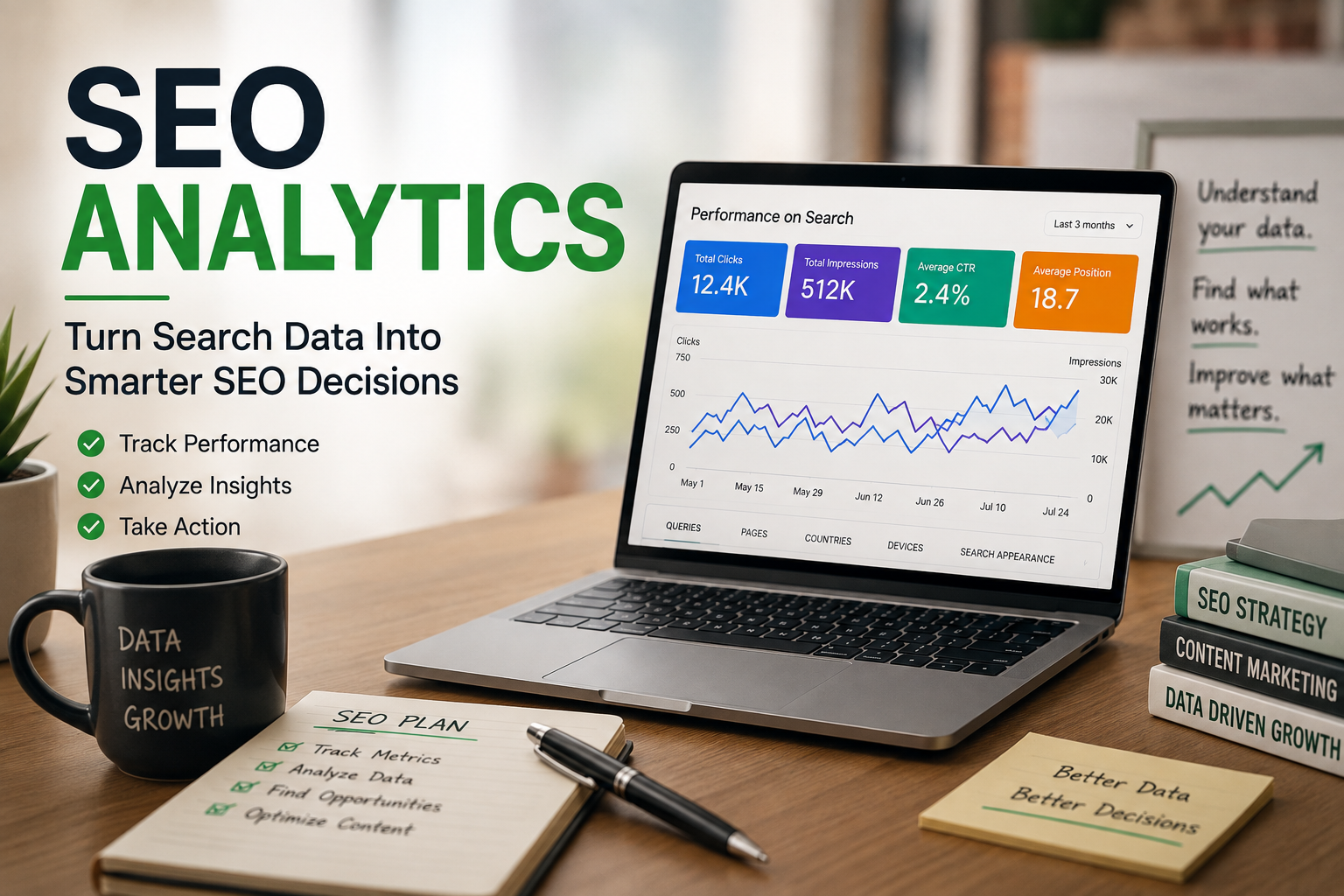
Its Search Performance report breaks down clicks, impressions, CTR, and average position — filterable by query, page, country, and device. It also shows indexing information, confirming whether your pages are even eligible to appear in search results.
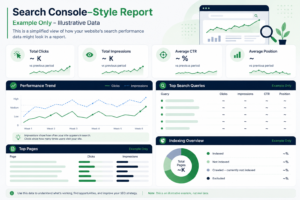
A few practical examples of how to read this data:
- High impressions, low CTR — your page is being shown but not chosen. This often signals your title or meta description isn’t compelling enough, or doesn’t match what searchers expect.
- Good impressions, average position around page two — you’re close to ranking well but not quite there. This often points to a need for stronger content relevance or better internal linking, rather than a title fix.
- Clicks declining over time — compare the recent period against a previous one in the same report, then check which specific queries or pages lost the most, so you can investigate what changed.
None of these patterns is a guaranteed formula — they’re diagnostic starting points that tell you where to look closer, not automatic fixes.
A Practical SEO Analysis Workflow
A simple, repeatable process makes SEO analytics far less overwhelming:
- Check overall organic performance — look at your traffic trend over recent weeks or months.
- Review Search Console — check clicks, impressions, CTR, and average position.
- Identify strong pages — note which already have solid visibility.
- Find underperforming opportunities — pages with impressions but weak clicks or rankings.
- Investigate the queries — understand what people are actually searching for.
- Take action — improve titles, content relevance, internal links, or intent alignment.
- Monitor the change — compare performance again after a few weeks.
This is where SEO analytics connects directly back to concepts like [INTERNAL LINK: search intent → “Search Intent” article] — a page can have decent rankings and still underperform if it doesn’t actually satisfy what searchers were looking for in the first place.
SEO Tracking vs. Analysis vs. Reporting
These three terms get used interchangeably, but they describe different stages of the same process:
- Tracking — collecting the raw data (clicks, impressions, rankings)
- Analysis — interpreting that data to understand what it means
- Reporting — summarizing findings in a clear, useful format
Together, they form a simple loop: Tracking → Analysis → Action → Reporting → Improvement. Skipping straight from tracking to reporting, without real analysis in between, is how a lot of beginners end up with reports full of numbers but no actual insight.
Useful Tools for SEO Analytics
You don’t need a paid toolkit to get started. Free tools cover most of what a beginner needs:
- Google Search Console — search performance, indexing, and query-level data
- Google Analytics — on-site behavior, traffic sources, and engagement
- Google Keyword Planner — keyword and search volume context
- Google Trends — seasonal and long-term interest patterns
Paid platforms like Semrush or Ahrefs offer deeper competitive and backlink data, but they’re not necessary to begin analyzing your own site’s performance. Most beginners can learn a great deal using Google’s free tools alone before ever needing a paid subscription.
Common SEO Analytics Mistakes
- Looking only at rankings — they don’t show whether clicks or traffic are actually improving.
- Focusing only on traffic volume — high traffic with no relevance or conversions isn’t automatically a win.
- Ignoring CTR — a page can rank well and still underperform if nobody clicks it.
- Checking data too frequently — daily fluctuations are normal; judge trends over weeks, not days.
- Drawing conclusions from tiny data sets — a handful of clicks isn’t enough to act on reliably.
- Confusing impressions with clicks — these measure very different things.
- Assuming every traffic spike means SEO success — spikes can come from unrelated sources too.
- Ignoring business outcomes — traffic that doesn’t lead anywhere meaningful has limited value.
- Changing multiple elements at once — you won’t know which change actually worked.
Frequently Asked Questions About SEO Analytics
What is SEO analytics? It’s the process of collecting and interpreting search performance data — clicks, impressions, rankings — to understand what’s working and guide SEO decisions.
Why is SEO analytics important? It replaces guesswork with evidence, helping you spot which pages perform well, which need work, and where real opportunities exist.
What are the most important SEO metrics? Clicks, impressions, CTR, average position, and organic traffic give beginners the clearest picture without tracking dozens of numbers.
How do I measure SEO performance? Start with Search Console’s Search Performance report, then track trends over time rather than judging results from a single day.
Is Google Search Console enough for SEO analytics? It’s a strong starting point covering most beginner needs, though Google Analytics adds useful context on on-site behavior and traffic sources.
How often should I check SEO analytics? Weekly or monthly reviews are usually more useful than daily checks, since data fluctuates and short-term noise can mislead.
What is the difference between SEO analytics and Google Analytics? SEO analytics is the broader practice of interpreting search data; Google Analytics is one tool that supports part of that process.
How do I know if my SEO strategy is working? Look for consistent, gradual improvement across several metrics — not just one number — over weeks or months.
Conclusion
SEO analytics isn’t about staring at numbers — it’s about understanding what those numbers mean and using that insight to make better decisions. For beginners, a handful of core metrics, reviewed consistently through free tools like Google Search Console, is enough to start identifying real opportunities. The goal isn’t to track everything; it’s to track the right things, understand them clearly, and let that understanding guide your next move. Once tracking leads to genuine action, SEO analytics stops being a reporting exercise and becomes what it’s meant to be — a practical way to keep improving. From here, a natural next step is going deeper into how Google Search Console itself works, since it’s the tool that makes most of this analysis possible in the first place.