You’ve written a great blog post. The content is helpful, the keywords are in place, and the writing is clean. But weeks pass and Google still hasn’t indexed it. No rankings. No traffic. Nothing.
This is one of the most frustrating experiences for anyone starting out in SEO — and the culprit is almost always Technical SEO. While most beginners focus entirely on content and keywords, the technical foundation of a website quietly determines whether Google can even find, read, and rank your pages in the first place.
What Is Technical SEO?
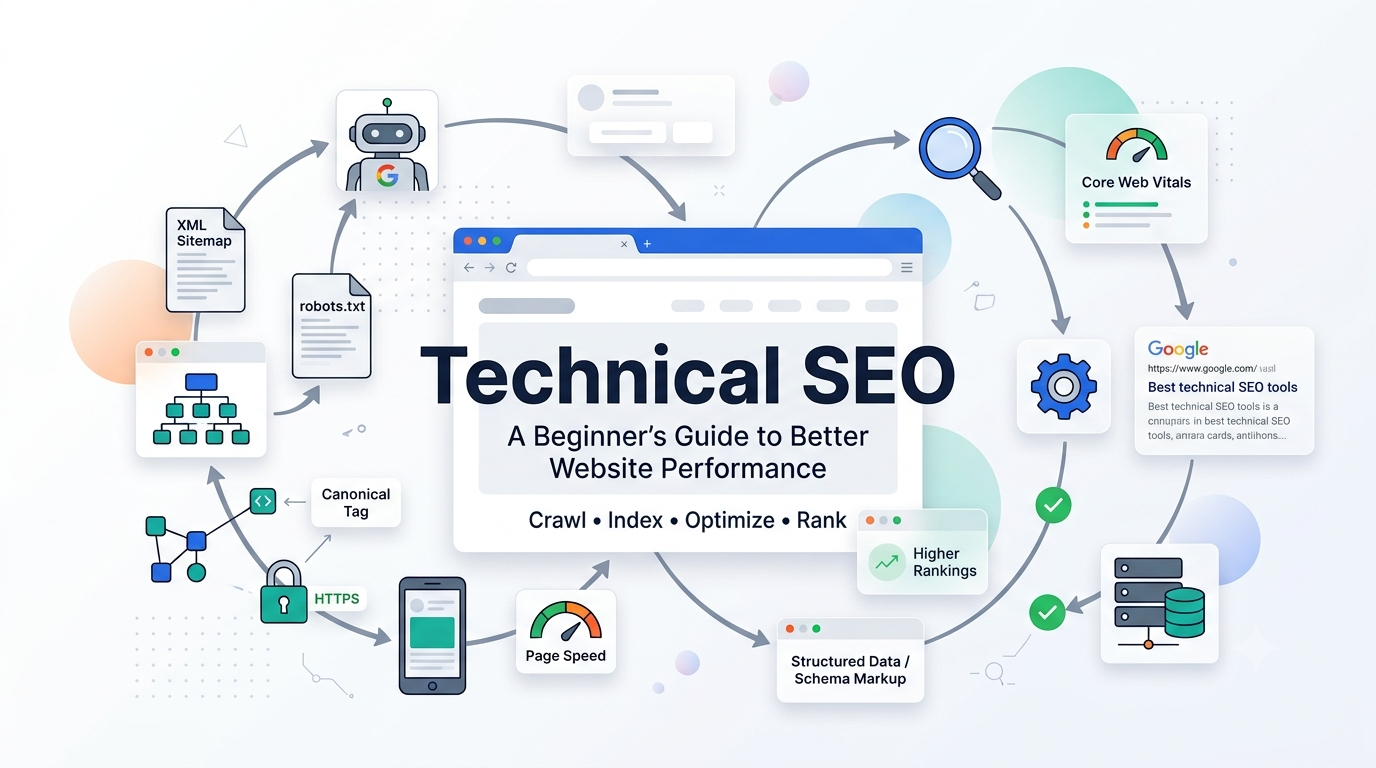
Technical SEO is the process of optimising a website’s infrastructure so that search engines can crawl, index, and rank it efficiently. It focuses on website speed, mobile-friendliness, structured data, security, and crawlability — ensuring that search engine bots can access and understand every page without obstacles.
Why Technical SEO Matters
Think of your website as a physical shop. On-page SEO is like arranging your products beautifully inside. But Technical SEO is the foundation — the building structure, the signage outside, and whether the doors actually open. If Google’s crawlers cannot access your pages, even your best content will never appear in search results.
Technical SEO directly affects:
- Whether Google can crawl and index your pages
- How fast your website loads for real users
- How your site performs on mobile devices
- Whether your content appears correctly in search results
- Your overall organic ranking potential
Technical SEO vs On-Page SEO
Many beginners confuse Technical SEO with On-Page SEO. Here is a clear comparison:
| Technical SEO | On-Page SEO |
|---|---|
| Improves crawlability and indexability | Optimises content for search intent |
| Focuses on website infrastructure | Focuses on individual page content |
| XML Sitemap and Robots.txt | Keyword placement and meta tags |
| Schema markup and structured data | Heading tags and internal linking |
| Core Web Vitals and page speed | Content quality and readability |
| HTTPS and SSL security | Image alt text and URL structure |
In short — Technical SEO helps search engines access your website while On-Page SEO helps them understand your content. Both work together for better rankings. If you want to strengthen your understanding of on-page optimisation, read our guide on On-Page SEO and its 10 essential elements.
Core Elements of Technical SEO
1. Crawlability — Can Google Find Your Pages?
Before Google can rank your content it must first crawl it. Crawlability refers to how easily search engine bots like Googlebot can navigate through your website and discover your pages. Two files control crawlability:
Robots.txt — Tells search engine bots which pages they can or cannot crawl. One wrong line here can accidentally hide your entire website from Google.
XML Sitemap — Lists all the important URLs on your website. Submitting your sitemap to Google Search Console tells Googlebot exactly which pages exist and should be crawled.
Common mistake: Many WordPress beginners accidentally check “Discourage search engines from indexing this site” in their Reading settings — which immediately blocks all crawling.
2. Indexability — Is Google Storing Your Pages?
Crawling and indexing are two different things. Google may crawl your page but still choose not to index it if the content is thin, duplicate, or blocked by a canonical tag.
A canonical tag tells Google which version of a page is the official one. For example, if your homepage is accessible at both https://rayamandal.com and https://www.rayamandal.com — a canonical tag tells Google which version to rank.
If your page shows “Crawled — currently not indexed” in Google Search Console, the content likely needs strengthening or has signals telling Google it is not worth indexing.
3. Core Web Vitals — Is Your Website Fast Enough?
Core Web Vitals are Google’s official performance metrics that measure real user experience. They are a confirmed ranking signal.
- LCP (Largest Contentful Paint) — Measures loading speed. Target: under 2.5 seconds
- INP (Interaction to Next Paint) — Measures responsiveness. Target: under 200ms
- CLS (Cumulative Layout Shift) — Measures visual stability. Target: under 0.1
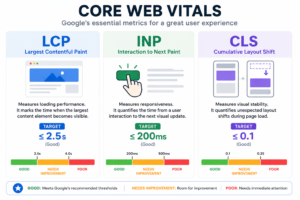
Check your Core Web Vitals using Google PageSpeed Insights or Google Search Console under the Experience section.
4. Mobile-Friendliness
Google uses mobile-first indexing — meaning it primarily uses the mobile version of your website for ranking. If your site looks broken or loads slowly on a smartphone, your rankings will suffer regardless of content quality. A responsive design automatically adjusts your layout for different screen sizes.
5. HTTPS and Website Security
HTTPS is a basic but essential Technical SEO requirement. Google confirmed HTTPS as a ranking signal in 2014. If your website still shows http:// or displays a “Not Secure” warning — this immediately reduces user trust and can negatively impact rankings.
6. URL Structure and Internal Linking
Clean, descriptive URLs help both users and search engines understand what a page is about:
| URL Type | Example |
|---|---|
| Generic URL | rayamandal.com/?p=239 |
| SEO-friendly URL | rayamandal.com/what-is-technical-seo/ |
Internal linking connects your pages together, helping Google discover new content and understand how topics relate. Just like keyword research guides your content planning, internal linking guides Google through your site architecture.
7. Structured Data and Schema Markup
Structured data is code you add to your pages to help Google understand your content more clearly. Schema markup can unlock rich results in Google search — such as star ratings, FAQs, and breadcrumbs — which dramatically increase click-through rates. For WordPress users, RankMath SEO handles schema markup without any coding.
8. Fixing Broken Links and Redirects
Broken links (404 errors) occur when a page is deleted or moved without a redirect. A 301 redirect permanently sends visitors from an old URL to a new one while preserving SEO value. Avoid redirect chains — redirects pointing to other redirects — as they slow down crawling and dilute link equity.
Quick Technical SEO Checklist
Before publishing or auditing any website, run through this checklist:
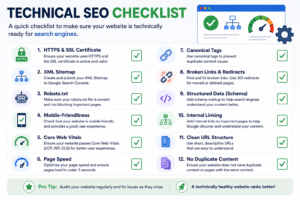
- HTTPS enabled and SSL certificate active
- XML Sitemap submitted to Google Search Console
- Robots.txt configured correctly
- Mobile-friendly design confirmed
- Core Web Vitals passing (LCP, INP, CLS)
- Page speed under 3 seconds
- Canonical tags implemented
- Broken links identified and fixed
- 301 redirects set up for moved or deleted pages
- Schema markup added
- No duplicate content issues
- Clean descriptive URL structure
- Internal linking connecting related pages
Essential Technical SEO Tools
You do not need expensive software to get started. These free tools cover everything a beginner needs:
| Tool | What It Does |
|---|---|
| Google Search Console | Monitors indexing, crawl errors, and search performance |
| Google PageSpeed Insights | Measures Core Web Vitals and page speed |
| Lighthouse | Audit performance, accessibility, and SEO |
| Screaming Frog | Crawls your site to find broken links and technical issues |
| GTmetrix | Detailed page speed analysis with waterfall charts |
Common Technical SEO Mistakes
Even experienced website owners make these mistakes:
- Blocking crawlers accidentally — One wrong line in robots.txt can hide your entire website from Google.
- Missing XML Sitemap submission — Without a sitemap Google has to discover your pages through links alone, significantly delaying indexing.
- Ignoring mobile performance — Most visitors browse on mobile and poor mobile experience directly hurts your rankings.
- Slow page speed — Every extra second of load time increases bounce rate and reduces your chances of ranking.
- Duplicate content — Multiple URLs showing the same content confuses Google about which page to rank.
- Orphan pages — Pages with no internal links pointing to them are nearly impossible for Google to discover.
Conclusion
Technical SEO is the invisible backbone of every successful website. You do not need to master everything at once — start with the basics: HTTPS, sitemap submission, mobile-friendliness, and page speed. Then work through the checklist in this guide and audit your own website.
Even fixing one or two technical issues can make a meaningful difference to how Google crawls and ranks your content. The key is to check regularly, fix issues as they arise, and keep building your knowledge progressively.
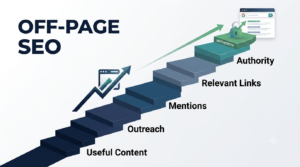
In the next guide in this series we will explore Off-Page SEO — how building backlinks and authority outside your website strengthens your entire SEO strategy and everything you have built so far.
Frequently Asked Questions
1. What is Technical SEO in simple words?
Technical SEO is the process of improving your website’s technical foundation so search engines can crawl, index, and rank your pages efficiently. It focuses on speed, security, crawlability, and site structure — ensuring Google can access and understand your content without any obstacles.
2. How do I start a Technical SEO audit?
Start by checking Google Search Console for crawl and indexing errors. Then review page speed using Google PageSpeed Insights, check mobile usability, verify your XML Sitemap is submitted, check robots.txt is configured correctly, and look for broken links using Screaming Frog. Fix the most critical issues first.
4. What are Core Web Vitals?
Core Web Vitals are Google’s performance metrics measuring loading speed (LCP), responsiveness (INP), and visual stability (CLS). They are a confirmed ranking signal meaning websites that meet Google’s Core Web Vitals thresholds may have a ranking advantage over slower, less stable sites.
5. Is HTTPS important for SEO?
Yes. HTTPS encrypts the connection between your website and visitors, increasing security and user trust. Google confirmed HTTPS as a ranking signal in 2014. Websites still running on HTTP display a “Not Secure” warning in browsers which reduces user confidence and can negatively affect both click-through rates and rankings.
6. Can I do Technical SEO without coding knowledge?
Yes. Most beginner Technical SEO tasks require no coding. WordPress plugins like RankMath handle sitemaps, canonical tags, and schema markup automatically. Google Search Console, PageSpeed Insights, and Screaming Frog all provide clear actionable recommendations that any beginner can implement without writing a single line of code.
Pingback: Search Intent Decoded: 4 Powerful Types Explained